Documentation
UMIS general documentation
/ Selected Course list
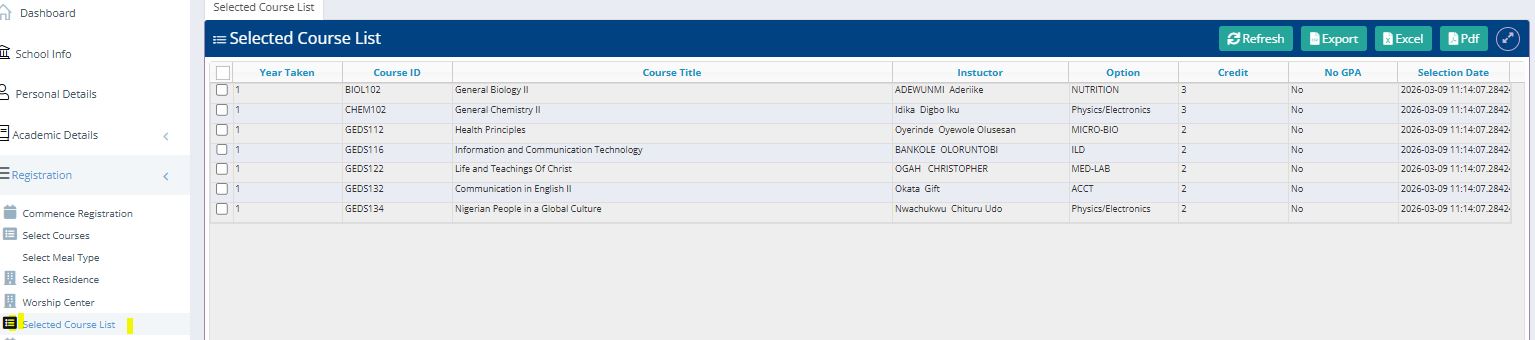
The Selected Course List serves as the primary verification of all registered courses. It allows students to review their course load, instructor assignments, and departmental options before finalizing their semester schedule.
1. Navigation and Interface
Access: To view this list, navigate to the "Registration" dropdown in the left-hand sidebar and select "Selected Course List".
Module Header: The interface displays a primary table titled "Selected Course List" containing all courses currently registered to your profile.