Documentation
UMIS general documentation
/ Payment Method & Gateway
Steps to Make Payment through E-Tranzact
Log in to the student portal and go to Finance.
Click on Select Payments / Make Payments.
Confirm the Transaction ID, Matric Number, and payment details.
Under Card Payment, click on E-Tranzact.
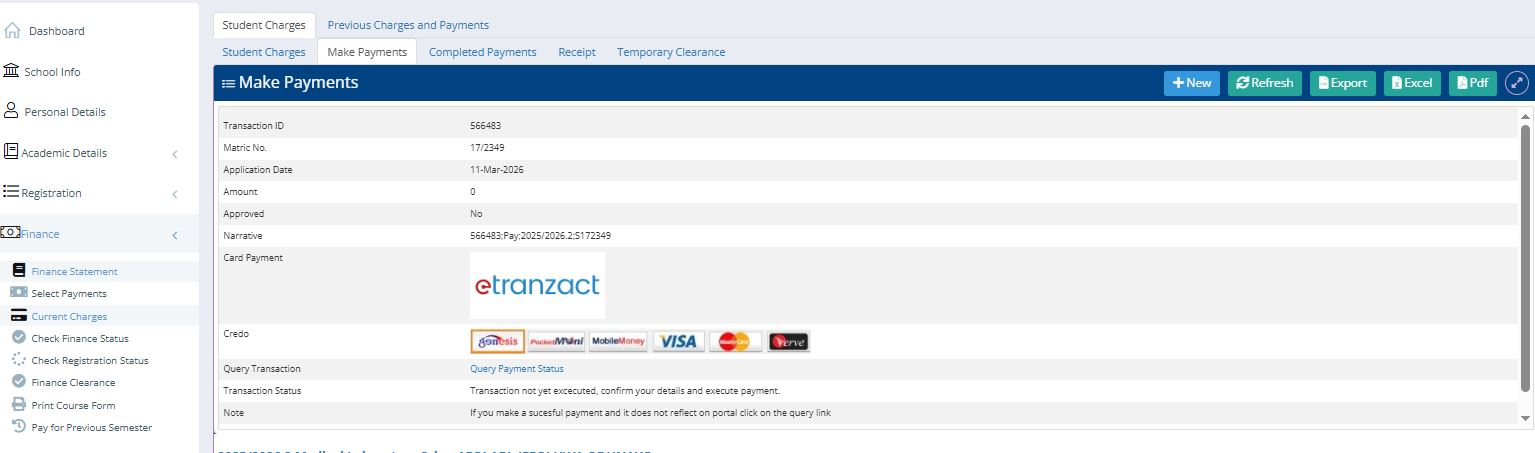
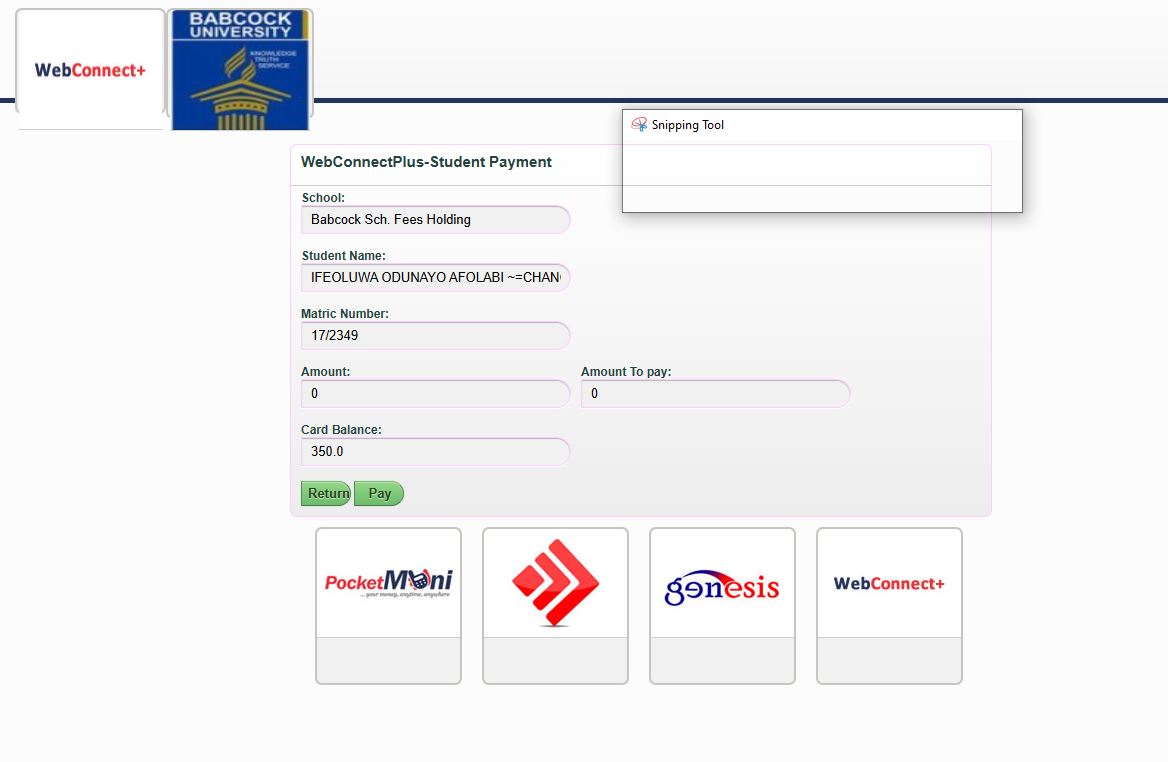
The system will redirect you to the WebConnectPlus Student Payment gateway.
On the payment page, confirm:
Student Name
Matric Number
Amount to Pay
Choose your payment option (Visa, MasterCard, Verve, PocketMoni, etc.).
Click Pay to proceed with the transaction.
After successful payment, return to the portal and check payment status or generate receipt.
Important Note
If the payment is successful but does not reflect on the portal, use the “Query Payment Status” link to update the transaction.