Documentation
General Overview for the Experience Management System
/ The Dashboard
Dashboard Overview
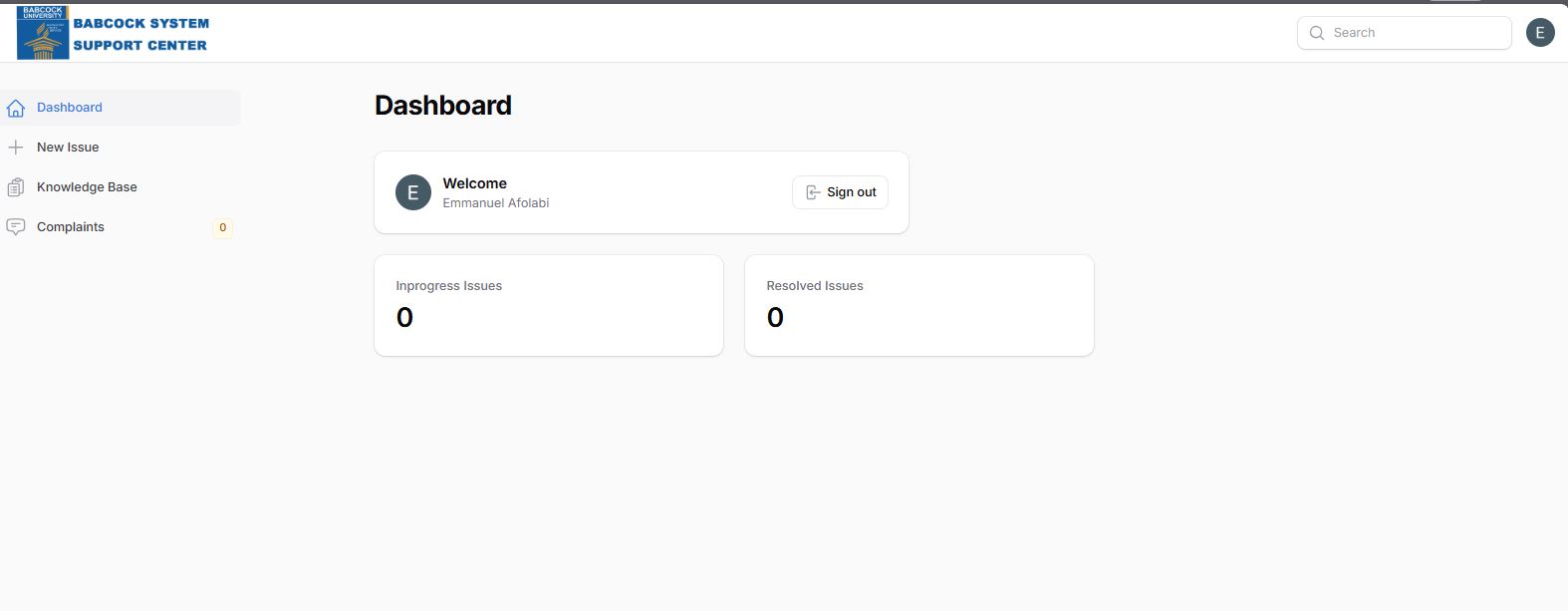
The dashboard serves as the central hub for users to manage support requests and access help resources. It features a clean, white-themed interface with a sidebar for primary navigation and a main content area displaying high-level summaries.
Header & User Profile
System Identity: The top-left corner displays the Babcock System Support Centre branding.
Search Functionality: A search bar is located in the top-right to help users quickly find specific issues or knowledge base articles.
User Information: The main section welcomes the logged-in user (e.g., Emmanuel Afolabi) and provides a Sign out button for security.
Navigation Sidebar
The left-hand sidebar contains the following essential tools:
Dashboard: Returns the user to the main summary view.
New Issue: Allows users to initiate a new support request.
Knowledge Base: Provides access to documentation and self-help articles.
Complaints: A dedicated section for filing and tracking formal complaints, currently showing a counter of 0.