Documentation
General Overview for the Experience Management System
/ Need Assistance?
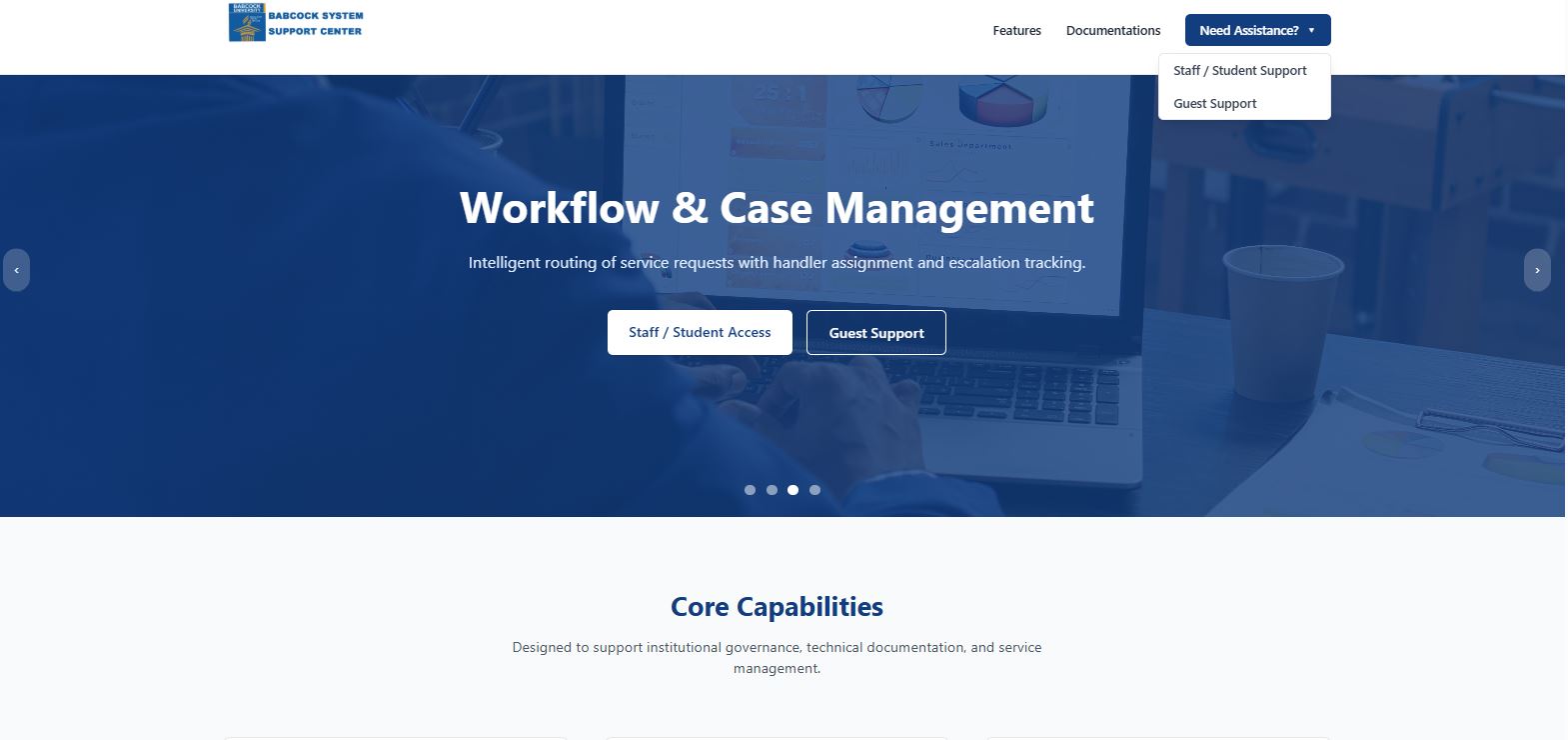
On the homepage (top-right corner of the navigation bar), you will find:
🔹 Need Assistance? (Dropdown Button)
This is prominently placed for quick access to support services.
2. Steps: From “Need Assistance?” to Login Page
Step 1: Click “Need Assistance?”
On the homepage, locate and click the Need Assistance? button.
A dropdown menu will appear.
Step 2: Select an Option
The dropdown presents two options:
Staff / Student Support
Guest Support
To access the login page for institutional users:
➡ Click Staff / Student Support