Documentation
General Overview for the Experience Management System
/ New Issue
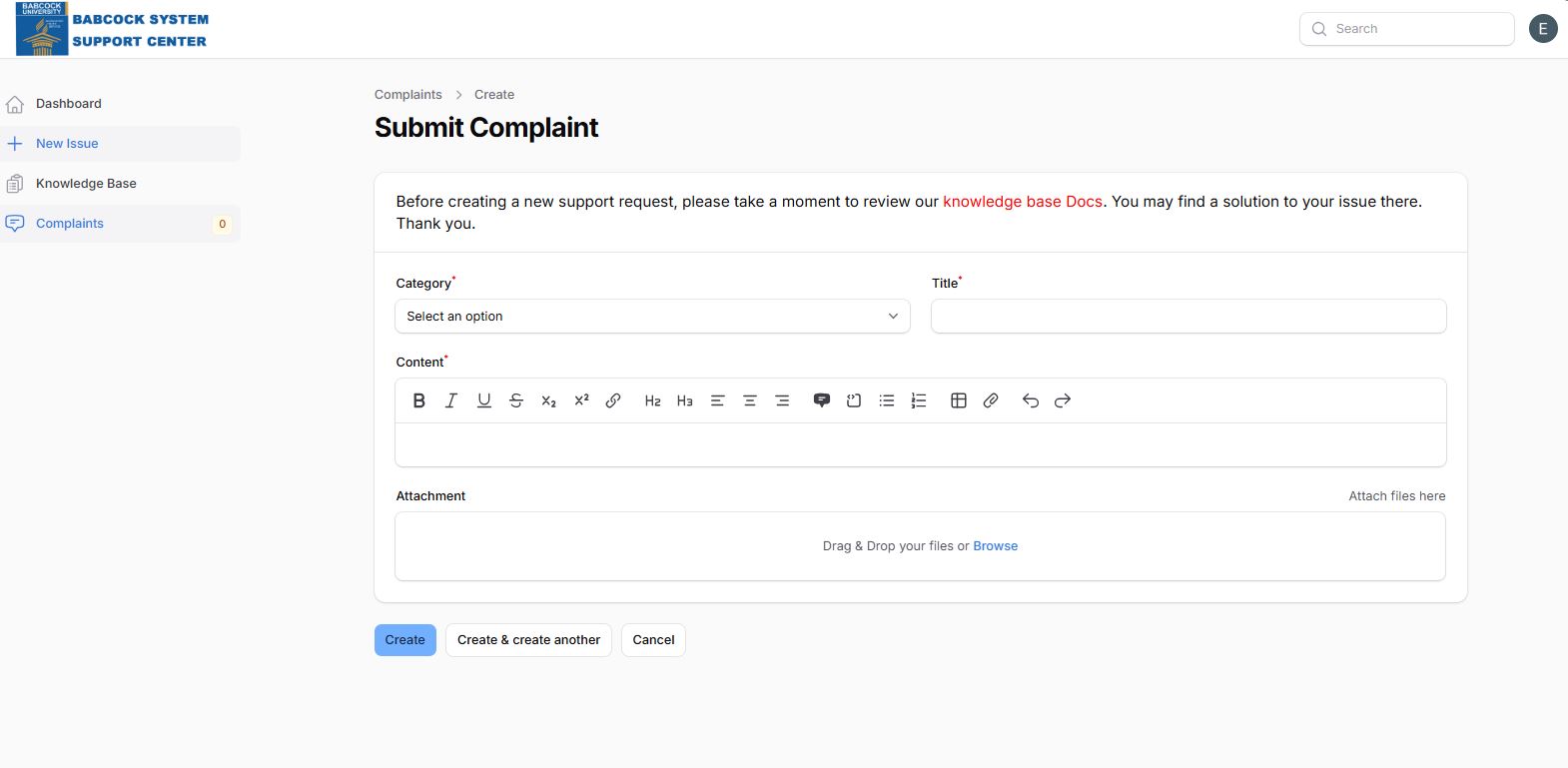
Step-by-Step Submission Process
Access: Select "New Issue" from the left-hand navigation sidebar.
Classification: Select the appropriate Category and enter a descriptive Title.
Detailing: Provide a thorough explanation in the Content box. Clear documentation here reduces the need for follow-up questions from the support team.
Evidence: Drag and drop relevant files into the Attachment section to provide visual or data-driven context.
Finalize: Choose one of three actions:
Create: Submits the current issue and returns to the dashboard.
Create & create another: Submits the issue and clears the form for a second entry.
Cancel: Discards the entry without saving.