Documentation
General Overview for the Experience Management System
/ Secure Sign-Out Procedure
To protect user data and ensure the security of the experimental management system, users should sign out after every session.
Standard Dashboard Logout:
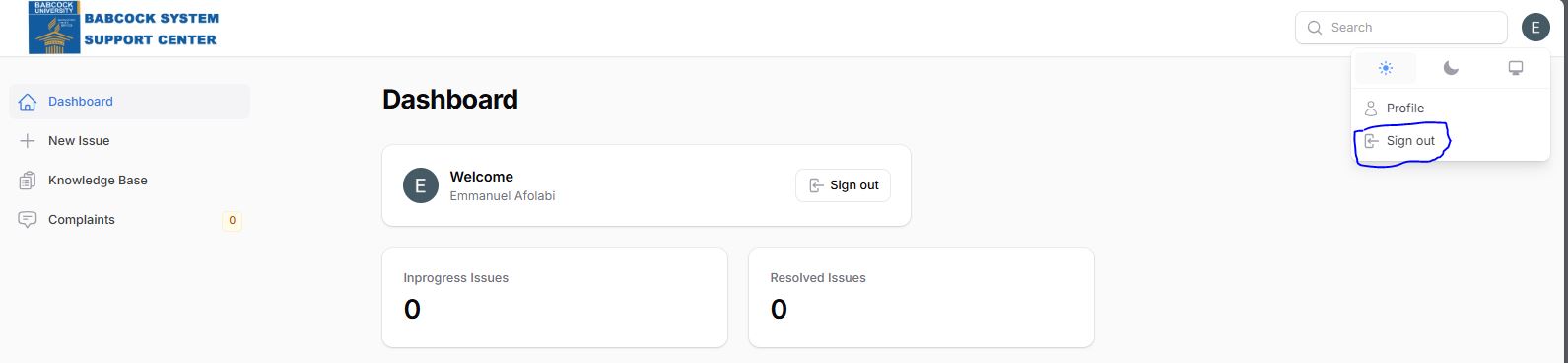
On the main Dashboard view, a dedicated Sign out button is located directly next to the user's welcome message in the central card.
Global Logout (Any Screen):
Click the user profile icon in the top-right corner of the system header.
Select Sign out at the bottom of the dropdown menu to terminate the session.