Documentation
General Overview for the Experience Management System
/ Guest Support
What Happens After Clicking Guest Support
When Guest Support is selected:
The system automatically redirects to the Submit a Complaint page.
No login page appears.
No BU email authentication is required.
This redirection allows the guest user to immediately access the complaint submission form.
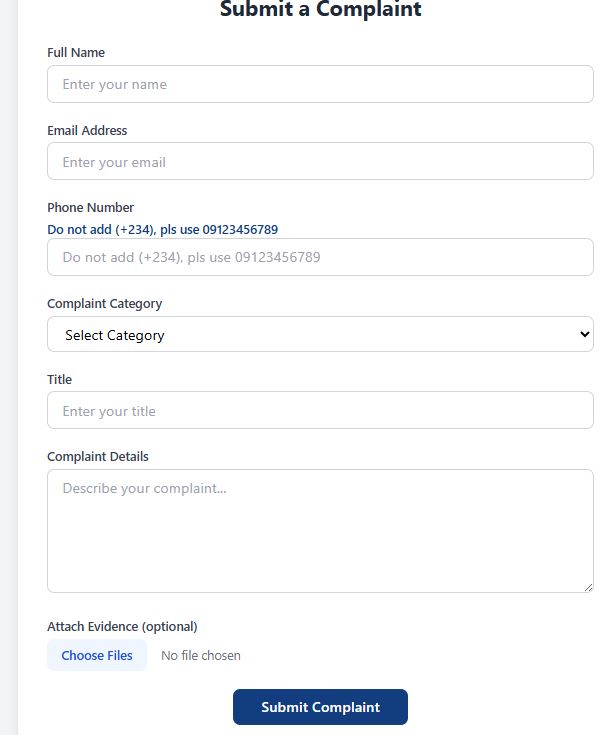
1. Redirected Page – Submit a Complaint
After redirection, the user is presented with a complaint form containing the following fields:
Full Name
Email Address
Phone Number
Complaint Category (Dropdown Selection)
Title
Complaint Details
Attach Evidence (Optional)
Submit Complaint Button
The user fills out the form and submits the complaint directly.