Documentation
General Overview for the Experience Management System
/ Navigating to the User Profile
Navigating to the User Profile
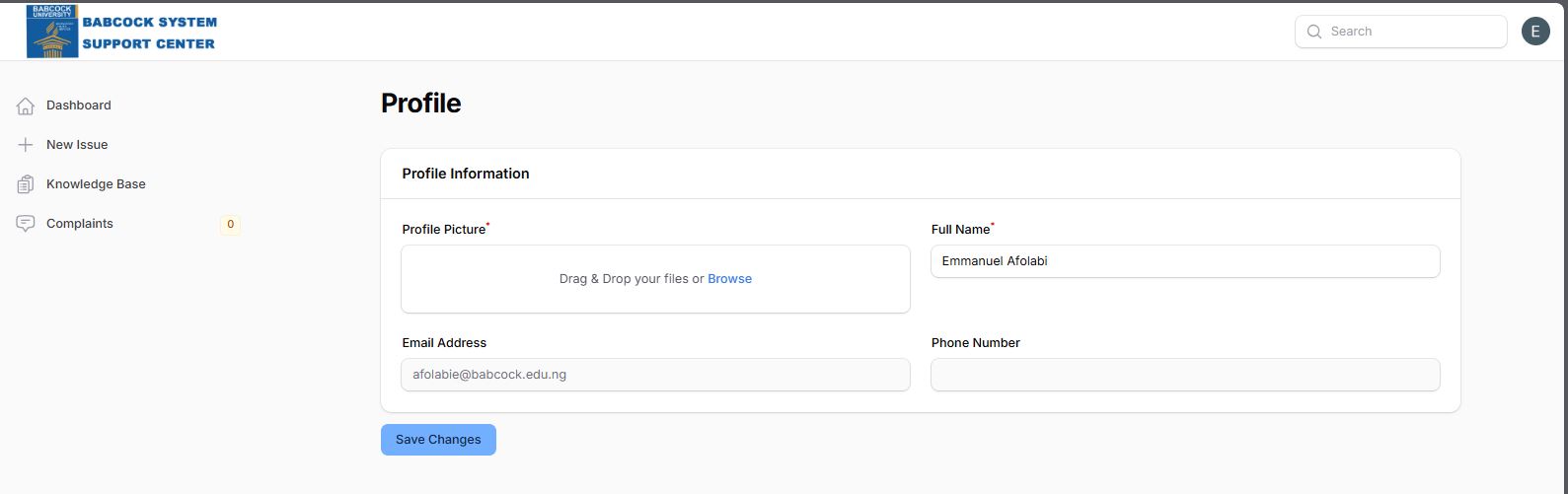
The Profile section is used for managing personal information and account identity.
Accessing the Profile:
Click on the user profile icon in the top-right header.
Select the Profile option from the dropdown list.
Profile Management Features:
Profile Picture: Users can update their avatar using a drag-and-drop file uploader or by browsing local files.
Full Name: A dedicated text field (e.g., "Emmanuel Afolabi") for display name management.
Email Address: Displays the primary contact email (e.g., "afolabie@babcock.edu.ng").
Phone Number: A field for providing contact information for urgent support follow-ups.
Save Changes: Users must click the blue button to commit any updates to the system.